

Not receiving The Jersey Vindicator newsletter? Here’s how to find it
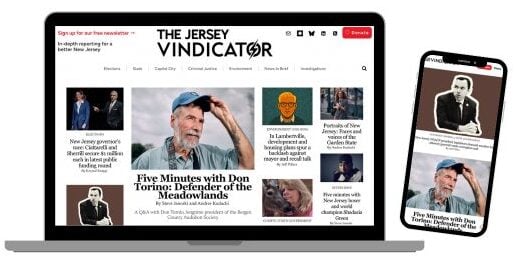
If you are not sure how to sign up for our free newsletter, you can do so on our signup page.
Our newsletter may be reaching you but landing somewhere other than your main inbox. Gmail sometimes sorts newsletters into the Promotions or Updates category. Messages can also occasionally end up in Spam. Here are tips to help you make sure newsletters land in your inbox.
First, look for the newsletter
- Search your email for “The Jersey Vindicator” or “The Vindicator Brief.”
- In Gmail, enter
in:anywhere "The Vindicator Brief"in the search bar. This searches Spam and Trash as well as your inbox. - Check your Spam or Junk folder.
- Gmail users should also check the Promotions and Updates tabs or categories.
- If you find the newsletter in Spam or Junk, open it and select Not spam or Not junk. This helps your email provider recognize that you want our messages.
Gmail: Move the newsletter to your Primary inbox
On a computer
- Open Gmail and click the Promotions or Updates tab.
- Find an email from The Jersey Vindicator.
- Click and hold the email, then drag it to the Primary tab.
- If Gmail asks whether you want future messages from us to go to Primary, click Yes.
On the Gmail app
- Open the Gmail app.
- Tap the three horizontal lines in the upper-left corner.
- Select Promotions or Updates.
- Open an email from The Jersey Vindicator.
- Tap the three dots in the upper-right corner.
- Select Move to and then Primary.
Add us to your contacts
Adding our newsletter email address to your contacts, hello AT jerseyvindicator.org, tells your email provider that you recognize and trust us.
In Gmail on a computer:
- Open one of our emails.
- Hover your mouse over the sender’s name at the top of the message.
- Click the Add to Contacts icon.
You can also add the email address shown next to our name directly to Google Contacts or your device’s address book.
Gmail: Create a permanent filter
If our newsletter continues to land in Promotions, Updates, or Spam, create a filter. Gmail filters must be created on a computer.
- Open an email from The Jersey Vindicator.
- Click the three vertical dots near the top of the message.
- Select Filter messages like these.
- Make sure our newsletter address appears in the From field.
- Click Create filter.
- Check Never send it to Spam.
- Check Categorize as and select Primary.
- Click Create filter again to save it.
If you use Outlook, Apple Mail, Yahoo, or another provider
The wording may differ, but these steps generally help:
- Find our newsletter in your Spam or Junk folder and select Not spam or Not junk.
- Add our newsletter email address to your contacts.
- Add the address to your provider’s Safe Senders list, if it offers one.
- Move the newsletter to your main inbox.
- If Outlook places it in the Other tab, move it to Focused and choose the option to move future messages from us.
Still not receiving the newsletter?
- Confirm that you signed up with the correct email address and that there wasn’t a typo.
- Check whether your inbox has a rule or filter that automatically moves or deletes our emails.
- Check your list of blocked senders.
- If you use a work or school email address, your organization may have additional email filters. You may need to contact the technology administrator at your organization.
- If you aren’t receiving other new messages either, check to see whether your email storage is full.
- Avoid signing up repeatedly. Instead, contact us and tell us the email address you used to subscribe. We can check whether it is active on our mailing list.
Never send us your email password. We will never ask for it.

Krystal Knapp is the founder, executive director, and publisher of The Jersey Vindicator and the founder of Planet Princeton. She has more than two decades of experience reporting in New Jersey, including 10 years at The Trenton Times, where she was the newsroom’s public records and computer-assisted reporting expert. Her work has been recognized by the New Jersey Press Association and the Center for Cooperative Media. You can reach her at Krystal AT jerseyvindicator.org.